LinkedIn Integration And Posting
READ BEFORE ACTIVATION
Automated Job Posting (formerly known as Job Wrapping) is required for staffing customers and recommended for non-staffing customers to use Apply Connect. Before starting the activation process, please review the instructions below to ensure proper setup.
If Automated Job Posting (AJP) is not yet enabled:
- Enable Apply Connect in your ATS using the instructions in this activation guide.
- Wait 24 hours, then enable Automated Job Posting in LinkedIn Recruiter (refer to LinkedIn’s support guide).
Note: The 24-hour window allows jobs to sync via the Apply Connect API before enabling AJP.
3. Do not enable Automated Job Posting before Apply Connect is enabled in your ATS.
If Automated Job Posting (AJP) is already enabled:
- Enable Apply Connect in your ATS using the instructions in this guide.
- After activation, verify that your ATS API source status shows “Posting Active” (see page 7 of the LinkedIn guide).
- Once confirmed, close any manually posted jobs in LinkedIn Recruiter.
Note: This prevents duplicate jobs and ensures all applications route directly into the ATS via Apply Connect.
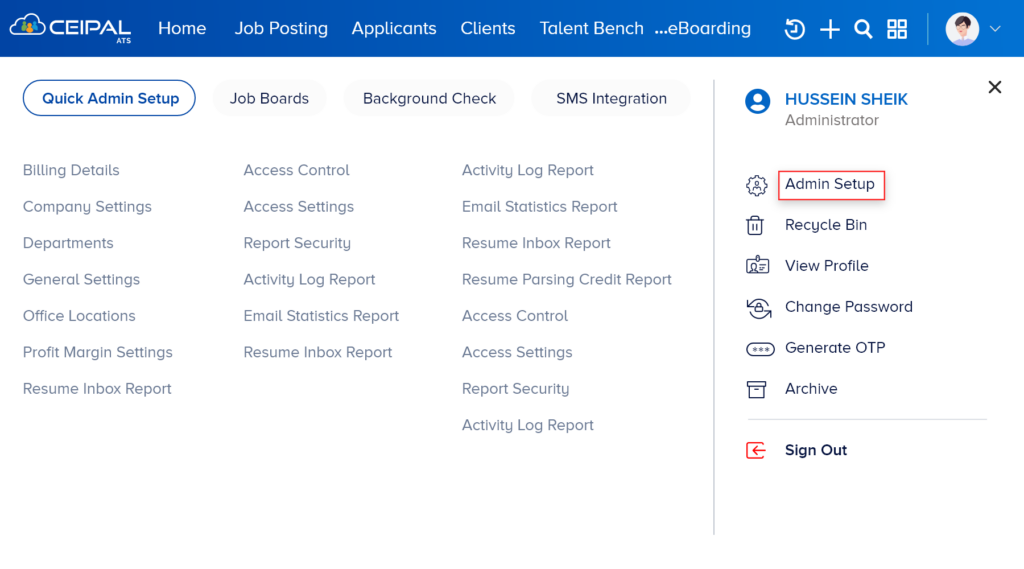
Log in to your CEIPAL account and follow the navigation below: From the Dashboard, click on the Profile icon at the top right and click on Admin Setup.
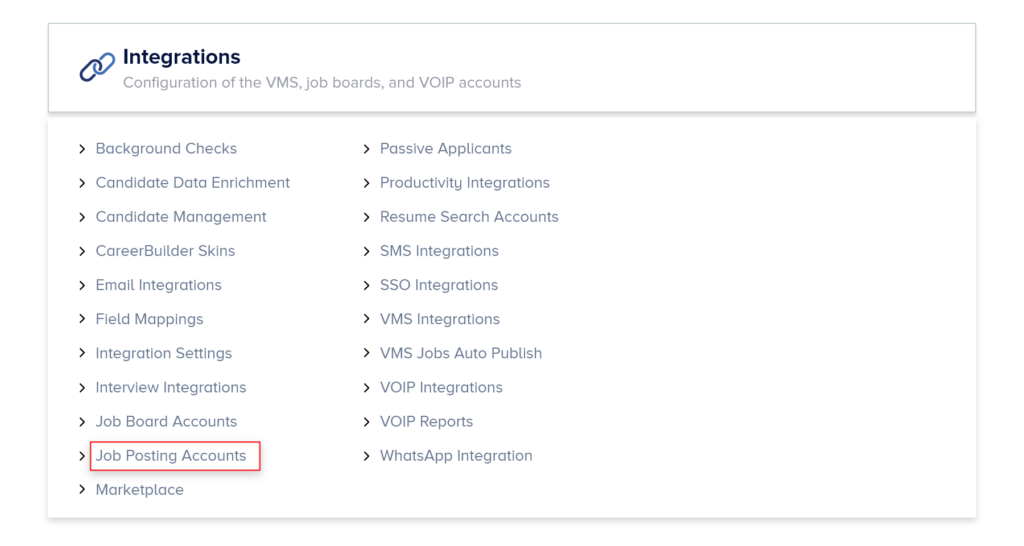
Admin Setup > Integrations > Job Posting Accounts > LinkedIn.
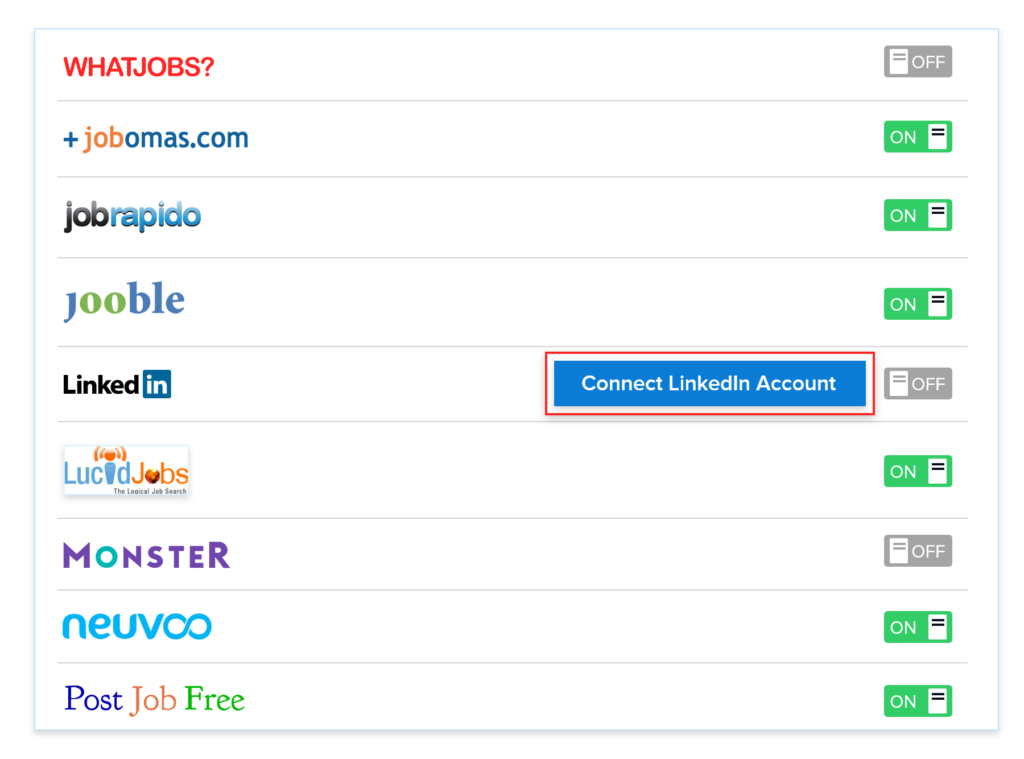
Click on the Connect LinkedIn Account, which will redirect to the page to Sign in with your Credentials.
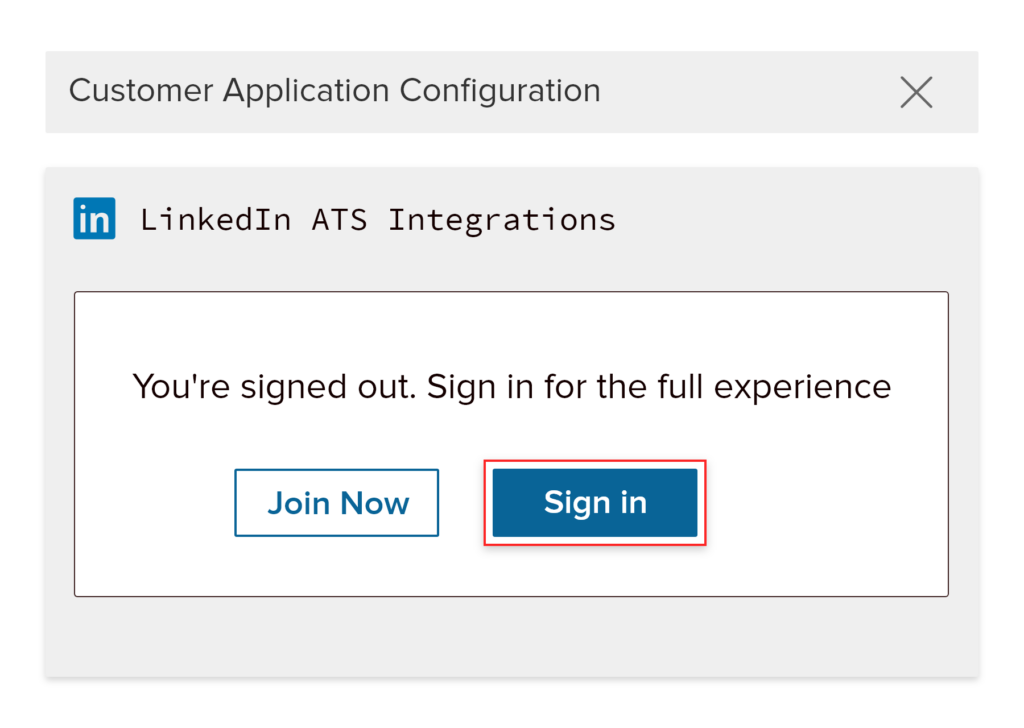
This will go through the authentication process. Once it is completed your LinkedIn account will be successfully configured with your CEIPAL account.
Job Posting > Select Job > Job Boards > Free With Options > LinkedIn
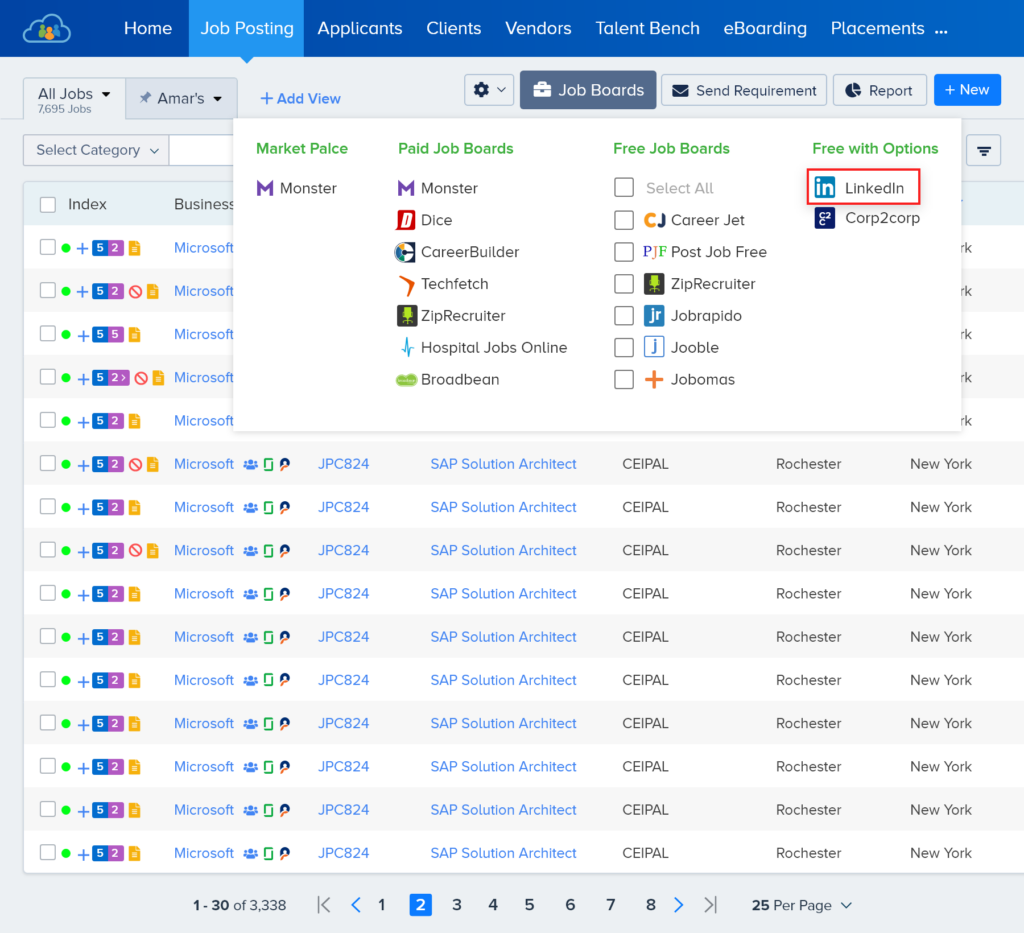
Once a user clicks on LinkedIn, it will open up a popup to review the required Job details before publishing it on LinkedIn.
Industries, Employment Status and Experience Level: These are the fields which need to be updated appropriately to obtain relevant candidate engagement.
Position Title and Job Description: These fields will be auto populated from the given fields of the selected Job Record.
Choose the questions that need to be shown to the job seeker while applying: Here, users can select a Questionnaire, which will be displayed to job seekers when they apply through LinkedIn Apply.
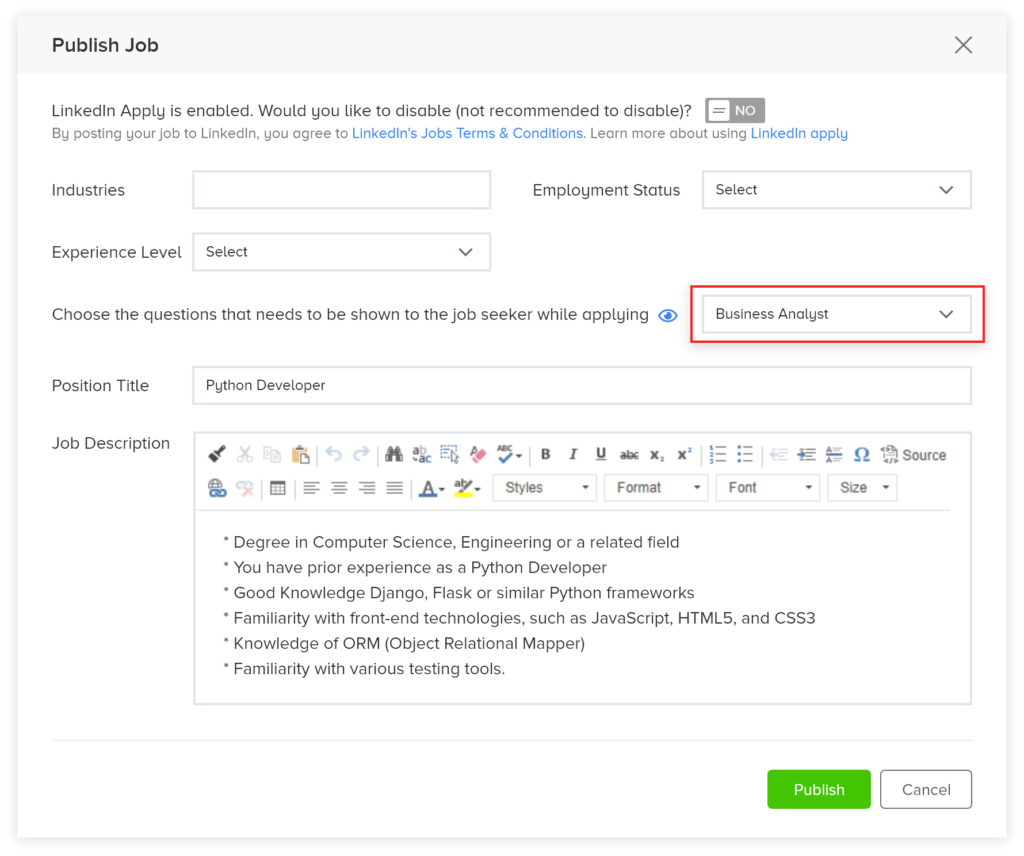
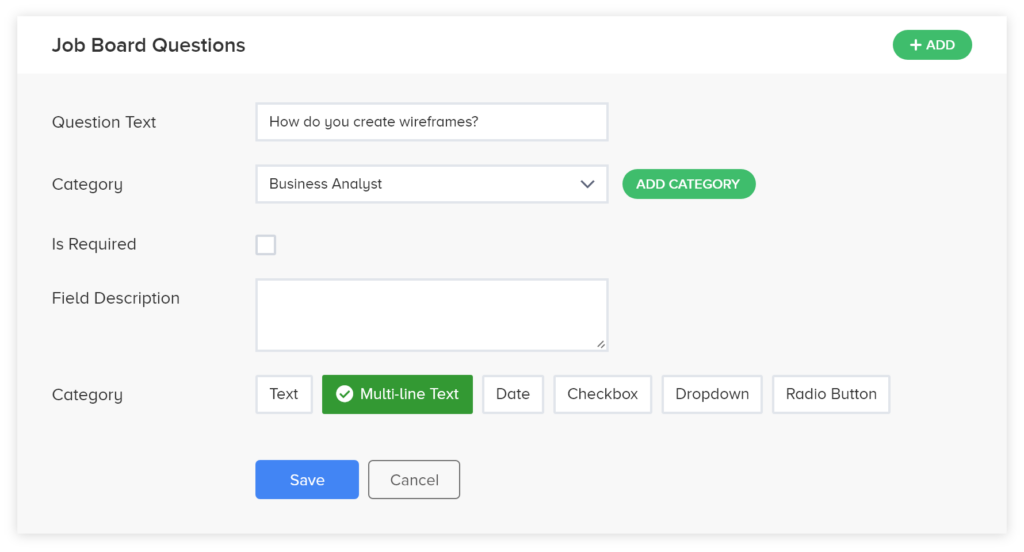
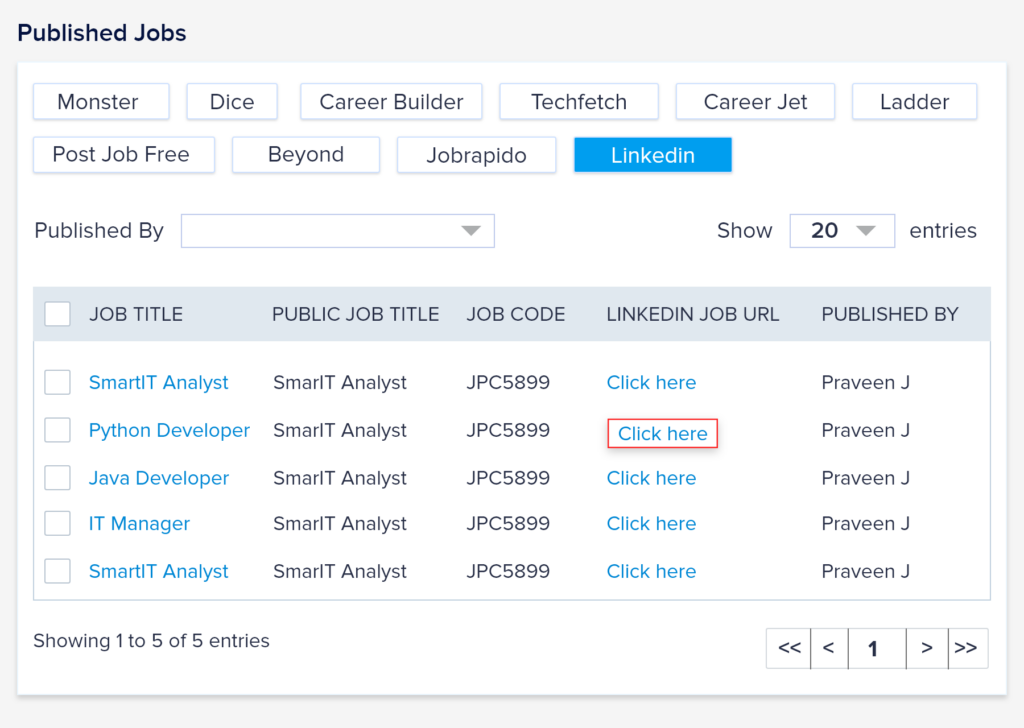
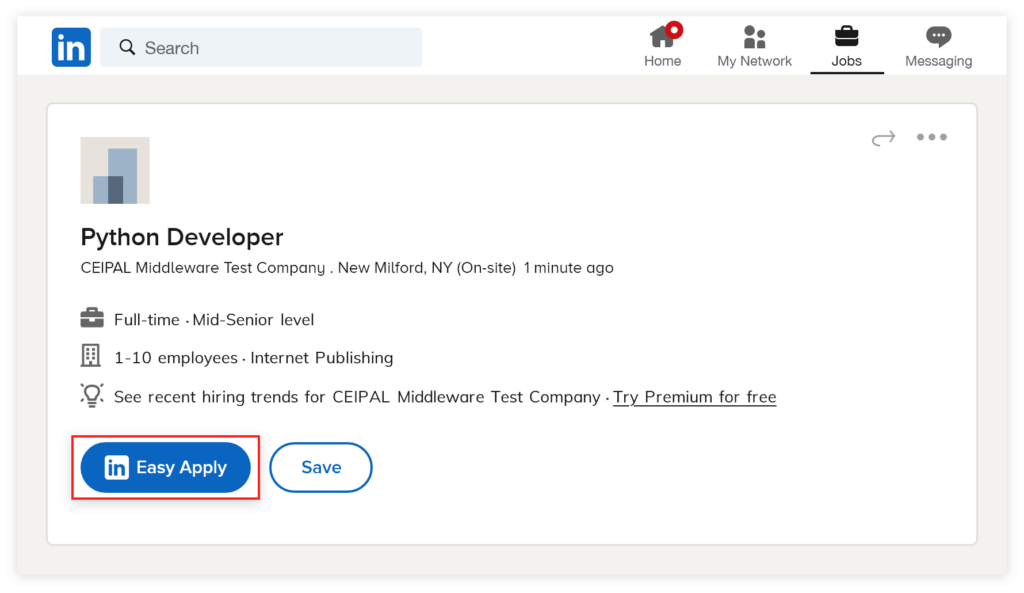
The selected questionnaire will be displayed to the jobseeker while applying for that job.
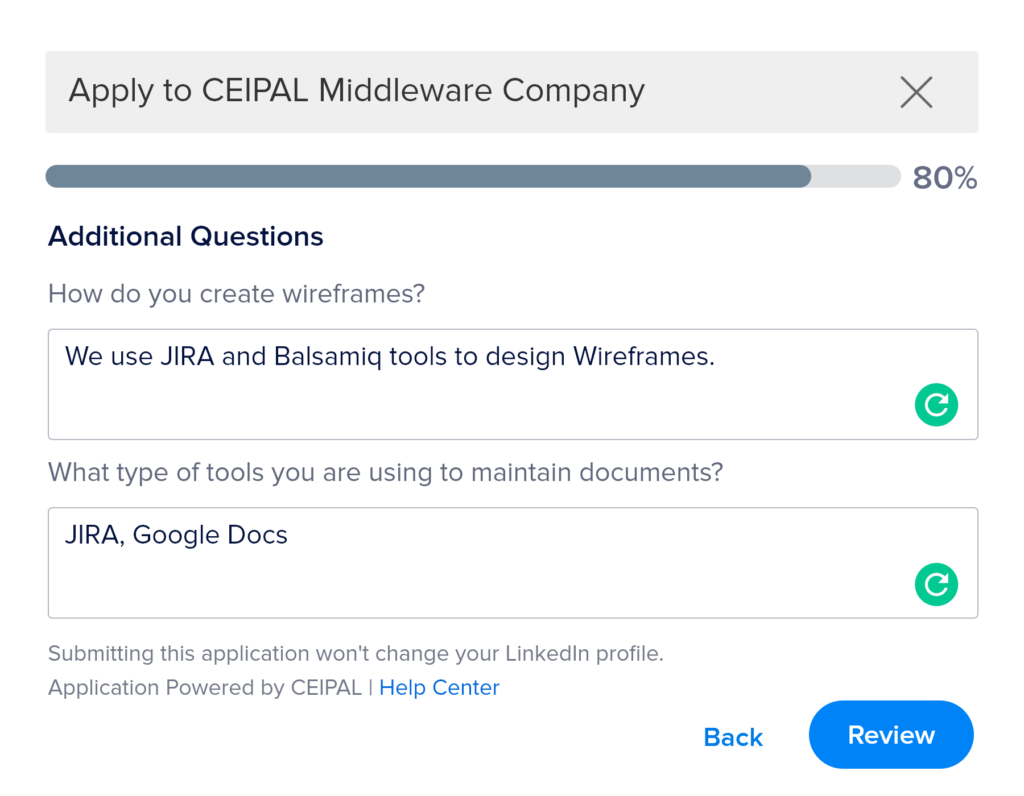
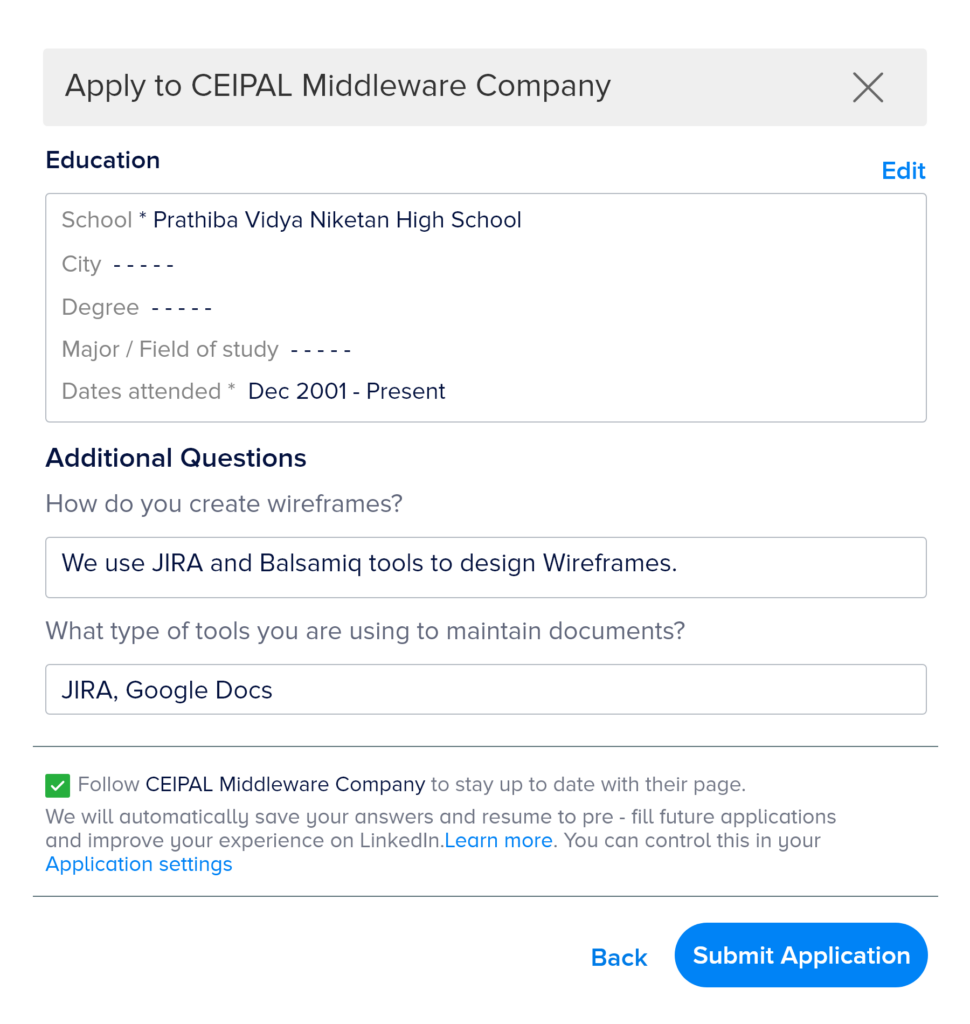
After the jobseeker submits the application, it will be tagged as a pipeline record in the given Job record.
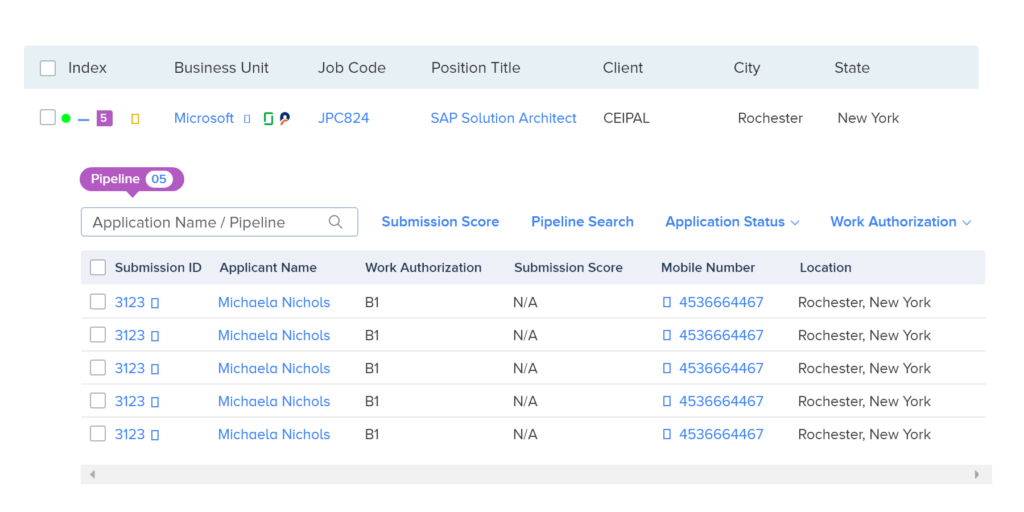
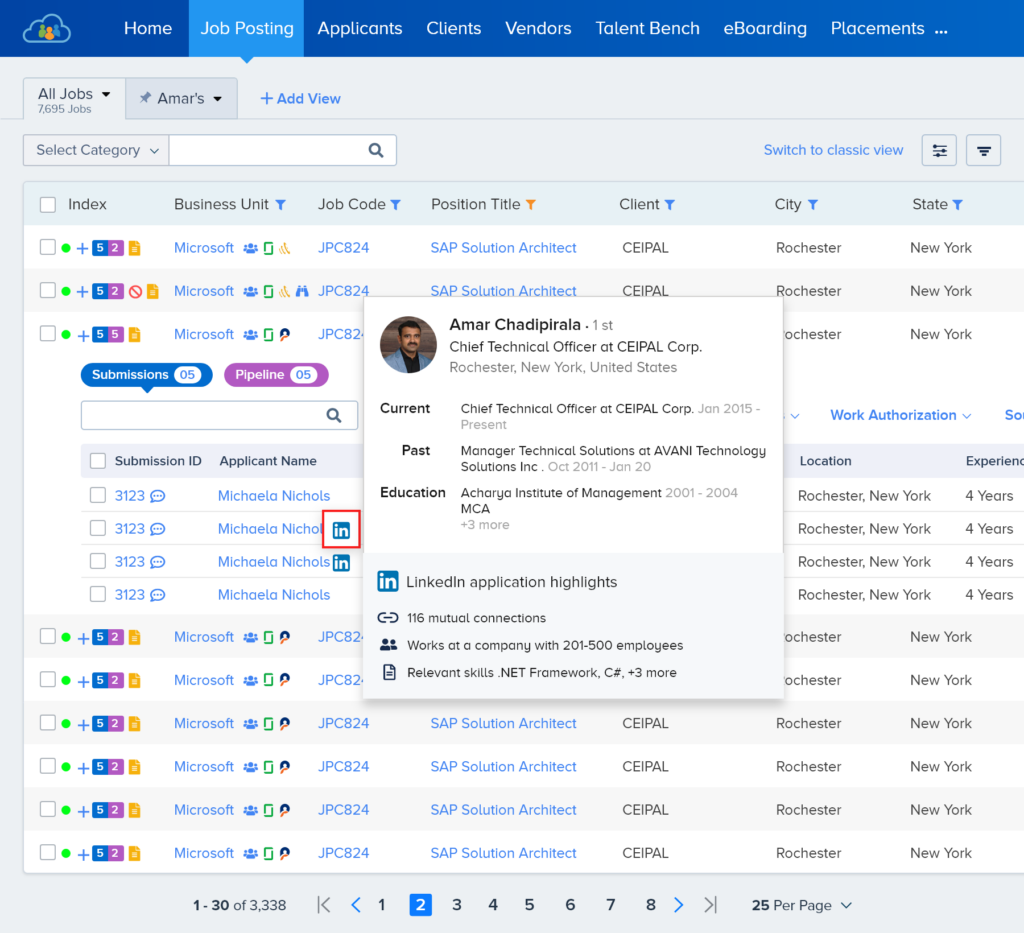
From the job listings page, expand the submissions and hover the mouse icon on the LinkedIn icon which is presented just beside the Applicant Name. This will show the highlights of the Applicant’s LinkedIn profile.
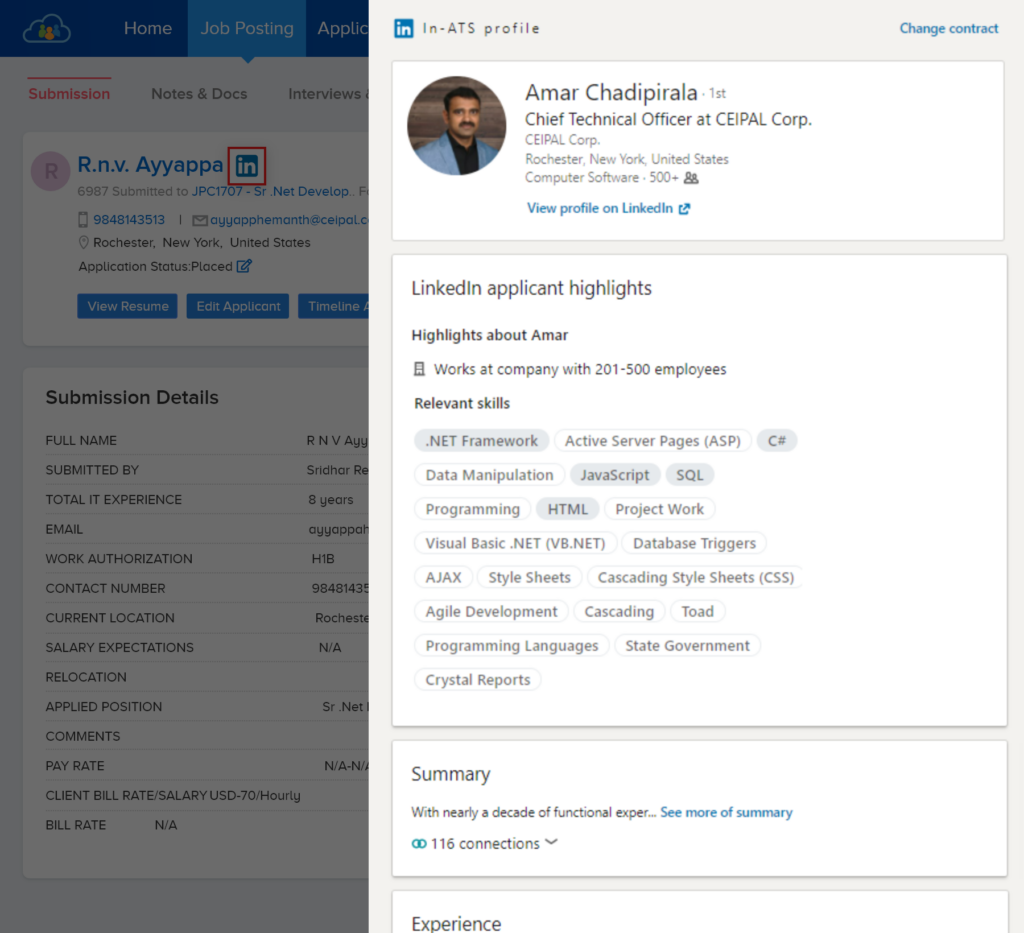
Click on the Pipeline record, and goto pipeline detail view page > click on LinkedIn icon to get the Applicant’s LinkedIn complete profile.

An integrated recruitment platform that combines full-time, contingent, and freelance workforces to transform businesses into talent powerhouses
Ceipal Free Trial