How to Create a Questionnaire for Jobs Published by LinkedIn Apply?
When publishing a job on LinkedIn with LinkedIn Apply, you have the option of choosing the questionnaire to be displayed. This questionnaire/form will be displayed to the job seeker when they apply for this job through LinkedIn Apply.
Admin users can create and edit questionnaires by following these steps:
Click on the profile icon
Click on Admin Setup
Go to Global Settings
Click on Job Board Questions
Click on Add
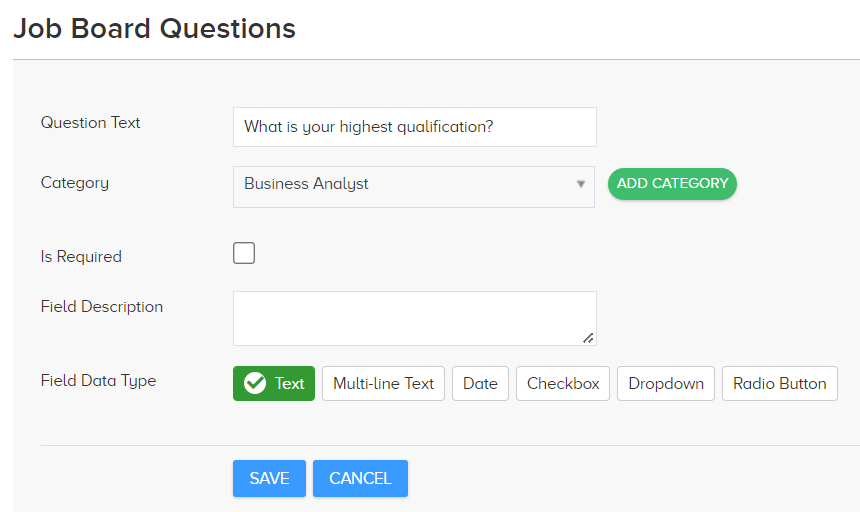
Enter the question
Choose a Category from dropdown (category refers to the name of the questionnaire)
Or Click on Add Category > Enter name > Click Save
Enter other details about the question – whether it Is Required(mandatory), field type for answer, etc.