How to create an Evaluation Template?
Evaluation Templates are used by interviewers to guide the flow of interviews and evaluate the candidates using the relevant metrics.
Steps to follow:
- Click on Quick Links
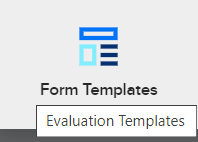
- Click on Form Templates
- Click on Create New
- Enter details for Form Design
- Choose Evaluation Template for Form Category field
- Click on Next
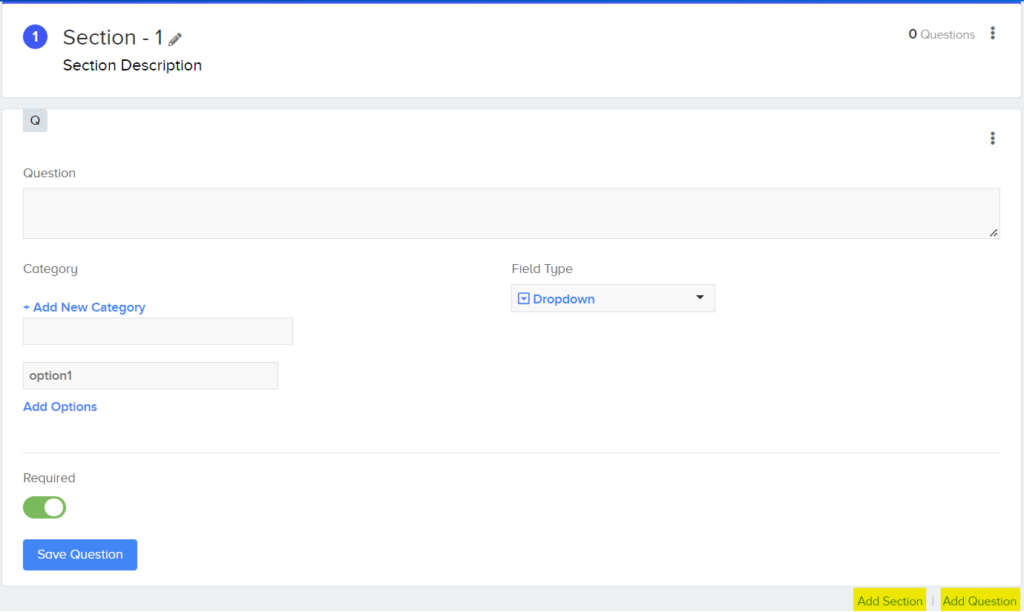
- Enter name and description of first Section*
- Enter details for first question
- Make sure to choose a Category (for type of Question) or Add a new one
- Select field type for answer – for multi-choice fields, add options to be selected
- Choose if it is to be a mandatory/required question
- Click on Save Question
- Add more sections or questions by using the links on the bottom right corner.
- Click on Publish Template when done.
The template will now be available on the Evaluation Template dropdown list, when scheduling interviews.
*Each Evaluation Template can have multiple ‘Sections’ for the different types of questions such as different sections for “Personal Details,” “Past Experience,” and “Subject Knowledge.” Under each section, we can add multiple questions.

An integrated recruitment platform that combines full-time, contingent, and freelance workforces to transform businesses into talent powerhouses
Ceipal Free Trial